Approval node
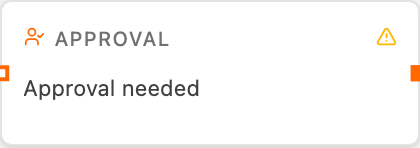
The Approval node is a human-in-the-loop gate: it pauses the run and emails each approver an Approve and a Reject link. The run resumes when someone clicks a link — Approve passes the incoming payload through unchanged, Reject stops the run. No coding or webhook setup is required.
Use it before an irreversible or costly step (sending a customer-facing email, publishing content, spending budget) so a human can sign off first.
Handles
| Handle | Purpose |
|---|---|
Payload | The content to approve (shown in the email) |
Approved | The continue signal — the payload passes through on approval |
Result | The same payload, as the node’s output after an approval |
Configuration
- Approvers — one or more email addresses to notify. Leave empty to use manual approval (see below).
- Subject — the request email’s subject line. Supports
{…}templates. Defaults to “Approval needed”. - Message — the question or context shown to the approver. Supports
{…}templates.
Manual approval
Leave Approvers empty and the node still pauses the run — but instead of emailing anyone, it shows Approve and Reject buttons on the node card while the run is waiting. Clicking one resumes the run. This makes it easy to test an approval flow end-to-end without entering an email address or configuring Resend.
How it works
- The node emails each approver a message with Approve / Reject links (skipped when there are no approvers).
- The run suspends until someone clicks a link — or a canvas button in manual mode.
- The click answers the run — the approver sees a confirmation page, and the flow resumes.
The links are single-use: the first click decides. Approving passes the
incoming payload through unchanged — the node’s Result output and the Approved handle both carry it, and the card shows an Approved badge.
Rejecting stops the run with a “Rejected by approver” error.
Example — approve before sending
An Agent drafts an outbound email, then an Approval node gates the actual send:
approvers: manager@example.com
subject: "Please approve the customer email"
message: "Draft ready — review and approve or reject."
Wire the Approved (or Result) handle into an Email node so the message
only goes out after sign-off.
Notes
- Sending the approval request is a system message — it carries no billing (unlike the Email node, which bills a per-recipient anti-spam fee).
- If the request email cannot be sent, the node fails with a clear message (is Resend configured?).
- The approver never needs a Sobmit account — the link in the email is all they use.
- Every approve/reject is logged with a timestamp and the deciding user (the flow owner, plus the specific signed-in user for a manual decision).