Prompt node
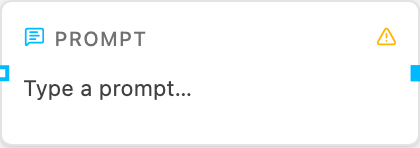
The Prompt node holds a fixed block of text and feeds it into the flow. It is a floating input: it does not need an incoming edge — its text is evaluated once for the whole graph and can be wired into any node that accepts text instructions.
What it does
A Prompt node provides the instruction for a downstream node. The most common
use is wiring it into an Agent’s prompt handle, an Image Generation node’s prompt handle, or a Video Generation node’s prompt handle.
Configuration
- Text — the prompt content. May reference templates like
{input.question}or{outputs.<node-id>}, and flow variables as[Name](see below).
Example
Prompt text:
Summarize the following search results in three bullet points.Wired into an Agent’s prompt handle, the Agent will follow this instruction
instead of deriving its own prompt from the incoming payload.
Variables (placeholders)
Prompt text may contain [Name] placeholders that are filled in when the flow
runs. Every placeholder used in a Prompt node is added automatically to the
Run tab’s Variables list — fill in its value there and it replaces the
placeholder at run time.
Deep research: customer voices on [MANUFACTURER] — [PRODUCT LINE].
Compare [PRODUCT] against [COMPETITOR 1] and [COMPETITOR 2].
This makes a prompt a reusable template: change the variable values to run the same investigation for a different manufacturer or product, without editing the text.
Wiring tips
- Wire the Prompt into the target’s
prompthandle (notIn) when the target also receives data you want to keep. - A
promptedge extends instructions — it does not replace the payload. This means a Web Search result onInand a fixed Prompt onpromptcan coexist. - Without an incoming edge, the Prompt is a floating input available to the whole graph.
Related
- Agent — the typical consumer.
- Core concepts — handles and data edges.